What you get, and what to expect when installing
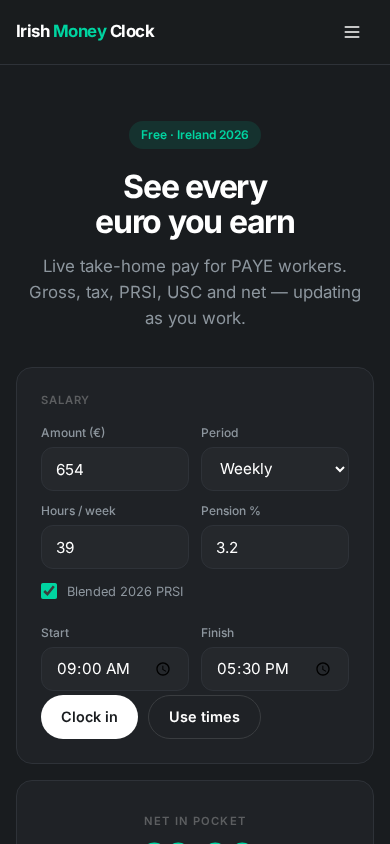
The Android build is the website packaged to run on the device: the same calculator, the same seven tax guides, the same 2026 figures. What changes is that it launches from your app drawer, keeps working when you have no coverage, and carries no advertising.
What is inside the app
The live pay clock
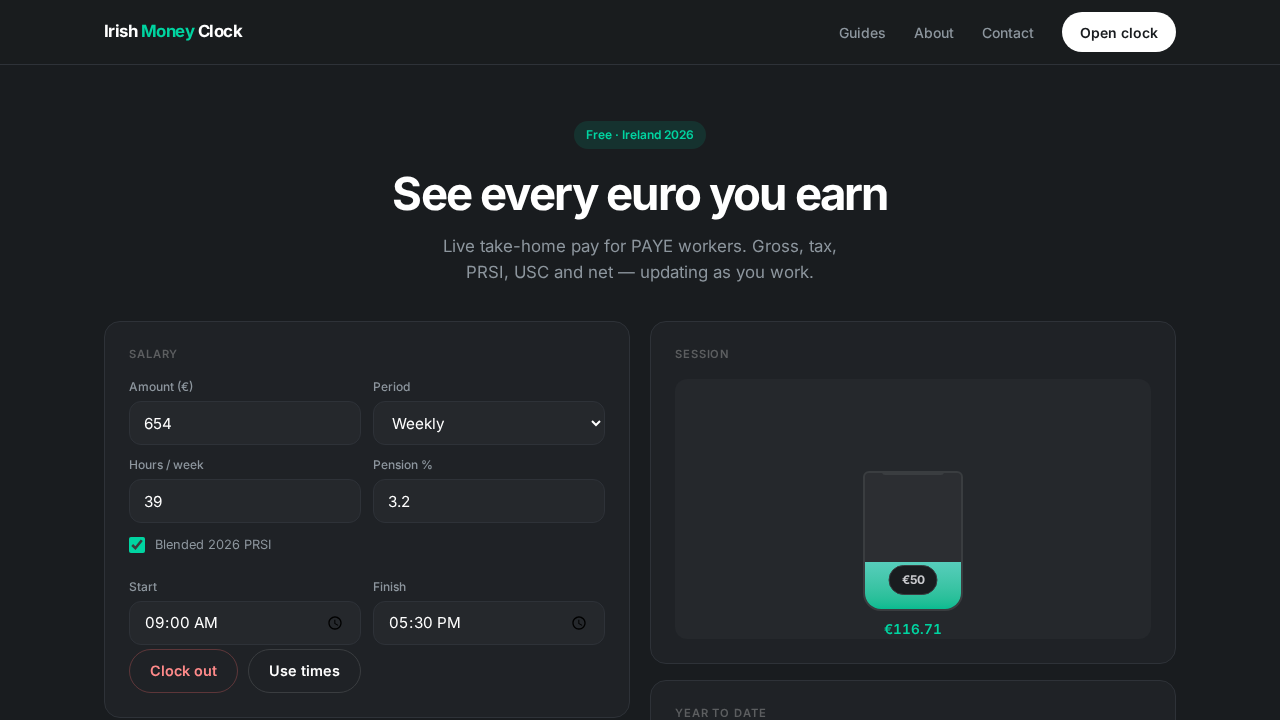
Clock in and watch gross pay, pension, PAYE, PRSI, USC and net pay update every fifth of a second, or apply a start and finish time to see what a full shift is worth without waiting for it.
Rates and year to date
Net and gross amounts per hour, day, week, month and year, plus a year-to-date projection and the total PAYE, PRSI and USC that projection implies.
All seven guides
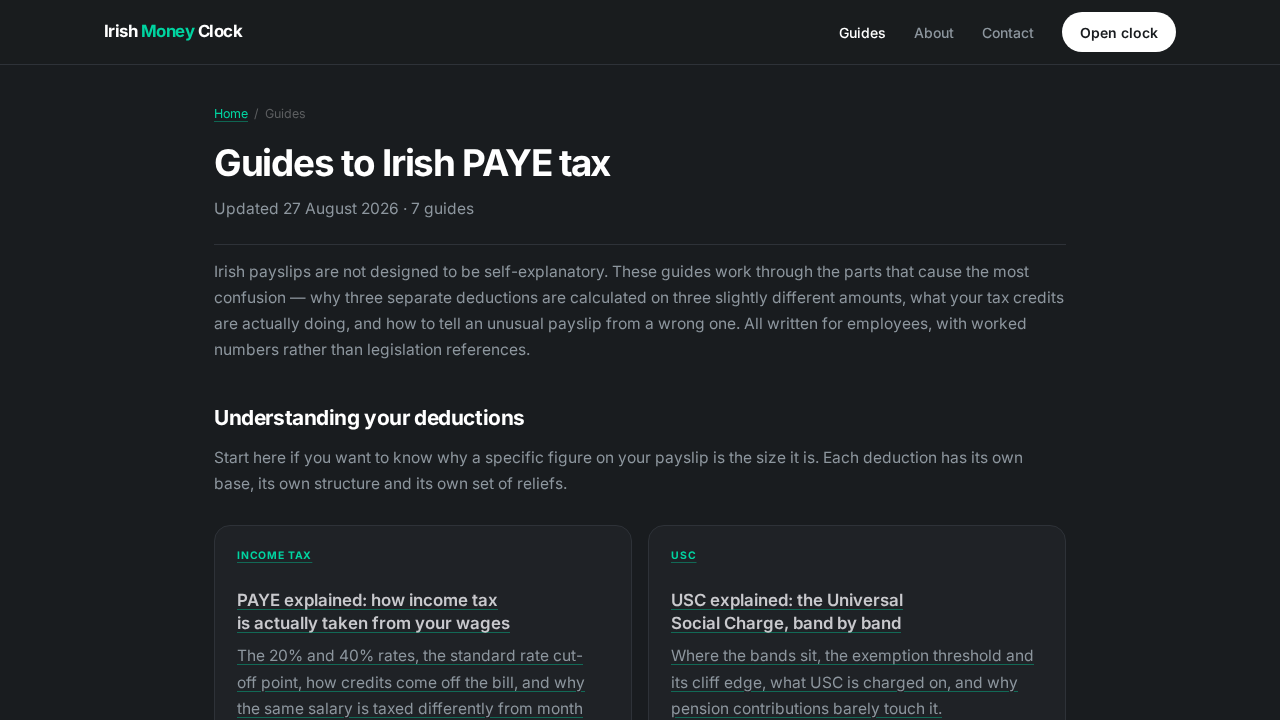
PAYE, USC, PRSI, tax credits, pension relief, reading a payslip and emergency tax — the full text, readable offline.
Nothing leaves the device
Every figure is calculated locally and your inputs are held in the app's own storage. No account, no sign-in, no salary sent anywhere.
Why it works with no signal
The app is a small native shell around the site's own pages, and those pages travel inside the download rather than being fetched when you open it. On launch the shell serves them to itself from the device, which is why the whole thing is only 536 KB and why it behaves identically on the Luas, in a basement or on a plane.
That local connection is the only reason the app declares the internet permission. It makes no outbound requests: no analytics, no advertising, no update check, no remote configuration. You can confirm this by turning off mobile data and Wi-Fi and using it exactly as normal.
Installing on Android
Because the app is not distributed through the Google Play Store, Android asks you to confirm the install. This is the standard flow for any app that arrives outside a store, and the prompts differ slightly between manufacturers and Android versions.
-
Download the APK
Tap the download button above. Chrome may ask you to confirm the file type — choose Download anyway. The file is served over HTTPS from this same domain.
-
Open the downloaded file
Tap the completed download in your notification shade, or find
IrishMoneyClock.apkin your Files app under Downloads. -
Allow this one install
If Android says your browser is not allowed to install unknown apps, it will offer a settings shortcut. Enable the permission for that browser, then return and tap the file again. It is a per-app permission and you can switch it back off afterwards.
-
Let Play Protect scan it, if it offers
Google may offer to send the app for a scan before installing. Accepting is fine and takes a few seconds. Because the app is signed with our own key rather than a store key, Play Protect flags it as an unrecognised developer — that is a statement about distribution, not about the contents.
-
Install and open
Tap Install, then Open. Irish Money Clock appears in your app drawer and works straight away, no sign-in and no setup.
Only install an APK you obtained from a source you trust. Ours is published from myirishmoneyclock.com over HTTPS and its SHA-256 checksum is printed at the top of this page. If you were sent an Irish Money Clock APK by any other route, compare the checksum before installing it — if the two strings differ in a single character, it is not our file.
Installing on iPhone, iPad or a computer
Apple does not permit apps to be installed from outside the App Store in most regions, so there is no iOS download. The alternative is a home-screen install of the site itself, which gets you the icon, the full-screen view and offline use without an app store being involved at all.
iPhone and iPad (Safari)
Open myirishmoneyclock.com in Safari, tap the Share button in the toolbar, scroll down the list and choose Add to Home Screen, then tap Add. The clock opens from your home screen like any other app. This has to be done in Safari — Chrome and Firefox on iOS cannot add to the home screen.
Android (Chrome)
Open the site in Chrome, tap the three-dot menu and choose Add to home screen or Install app. This is a lighter alternative to the APK if you would rather not sideload anything, though the APK keeps more of the site available offline.
Windows, macOS and Linux
In Chrome or Edge, look for the install icon at the right-hand end of the address bar, or open the browser menu and choose Install Irish Money Clock. It then runs in its own window, which is useful if you want the clock visible beside your work.
What it looks like
How the app and the website differ
| Android app | Website | |
|---|---|---|
| Calculator and guides | Identical | Identical |
| Works with no signal | Yes, fully | Yes, once installed to the home screen |
| Advertising | None | On guide pages, with consent |
| Updates | Manual: download the newer APK | Automatic on every visit |
| Account required | No | No |
| Install size | 536 KB | Nothing to install |
The rates, bands and credits are updated on the website first, because it takes effect the moment a visitor loads a page. When figures change with a Budget, reinstall the APK from this page to pick them up — there is no automatic update channel outside an app store.
Permissions and privacy
The app requests one Android permission, INTERNET, and uses it solely for the local connection it makes to itself on the device. It does not ask for storage, contacts, location, the camera or anything else, and it cannot read anything outside its own sandbox.
Your salary, hours and pension percentage stay in the app's local storage on your phone. Uninstalling removes them. The same commitments apply to the website version, set out in full in our privacy policy, with one difference worth stating plainly: the website carries advertising on its guide pages and the app carries none, so the app sets no advertising cookies and loads no third-party scripts.
The app applies the same simplified 2026 single-person model as the website: a €44,000 standard rate cut-off point, €4,000 of combined credits, USC bands of 0.5% to 8% above a €13,000 exemption, and Class A PRSI. It will not reproduce a specific payslip to the cent, because real payroll operates PAYE cumulatively. Nothing in it is tax advice — see our full disclaimer.
Frequently asked questions
Is the app on the Google Play Store?
Not at present. It is distributed as a direct APK download from this site, which is why Android asks for your permission before installing it. The file is served over HTTPS from the same domain as the website, and its SHA-256 checksum is published above so you can verify what you downloaded.
Why does Android warn me about installing it?
Android shows that warning for every app that does not come from an app store, whatever the app does. You grant your browser permission to install unknown apps, and Play Protect may offer to scan the file. The warning describes how the app reached you, not what is in it.
Does the app need an internet connection?
No. The calculator and every guide page are bundled inside the download and served locally on the device. The internet permission exists only because Android requires it for the connection the app makes to itself.
Does it collect my salary information?
No. Every calculation runs on your device and your inputs are stored only in the app's own local storage. There is no account, no sign-in and no server to send figures to.
Is there an iPhone app?
No separate iOS app, because Apple does not allow installs from outside the App Store in most regions. Adding the site to your home screen from Safari gives you an icon, a full-screen view and offline use, which covers most of the same ground.
Are there ads in the app?
None at all. The website shows ads on its guide pages to visitors who accept advertising cookies, and that is what covers the running costs. The app loads no third-party scripts.
How do I update it?
Download the current APK from this page again and install it over the top. Your saved settings survive, because the update is signed with the same key.
How do I uninstall it?
Press and hold the icon and choose Uninstall, or remove it from Settings › Apps like any other app. That deletes the app and the settings it saved. Nothing is left behind and there is nothing to cancel.
Try it in your browser first
The clock is the same in both. Open it here, and install whichever version suits you afterwards.
Open the live clock